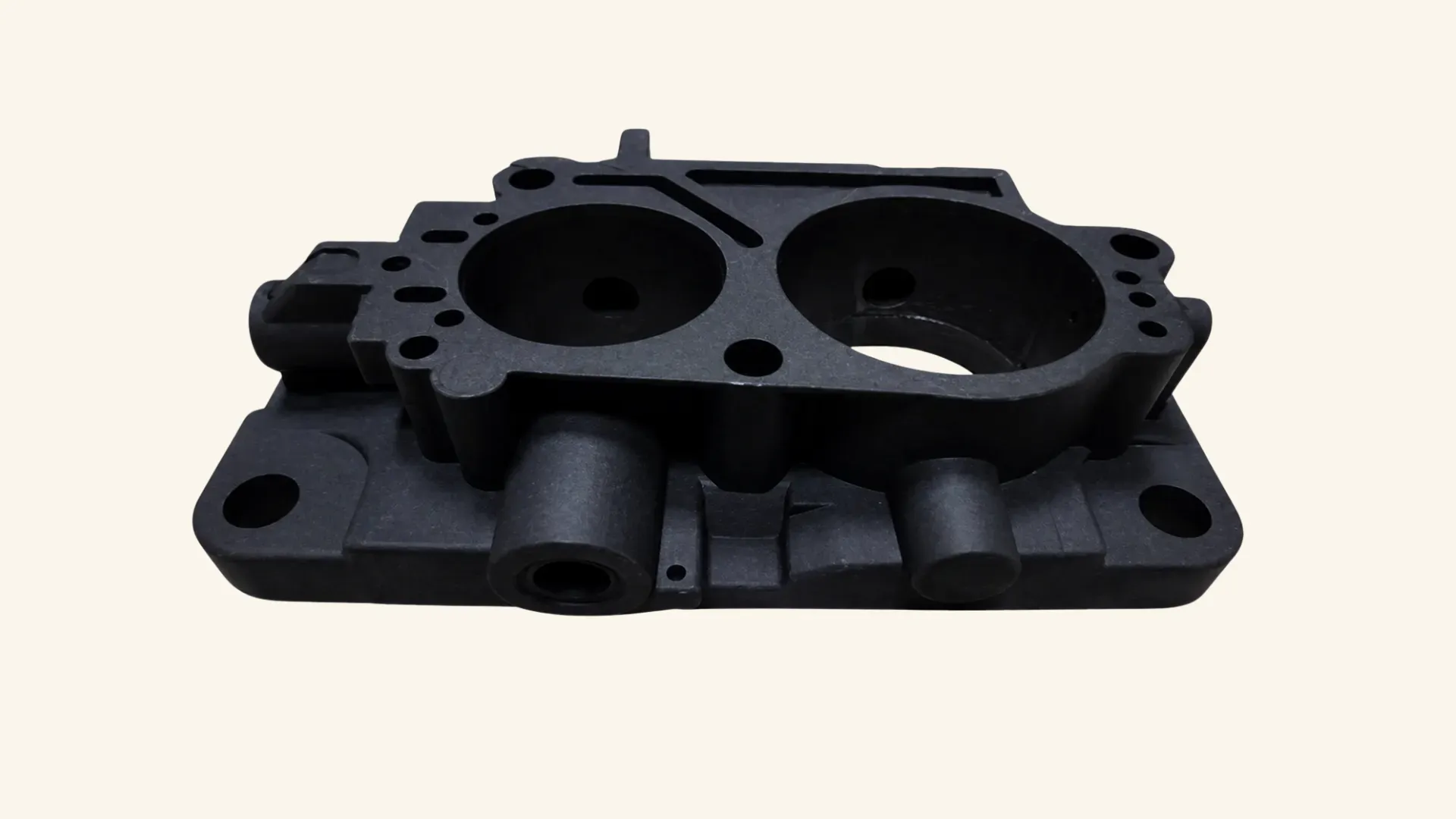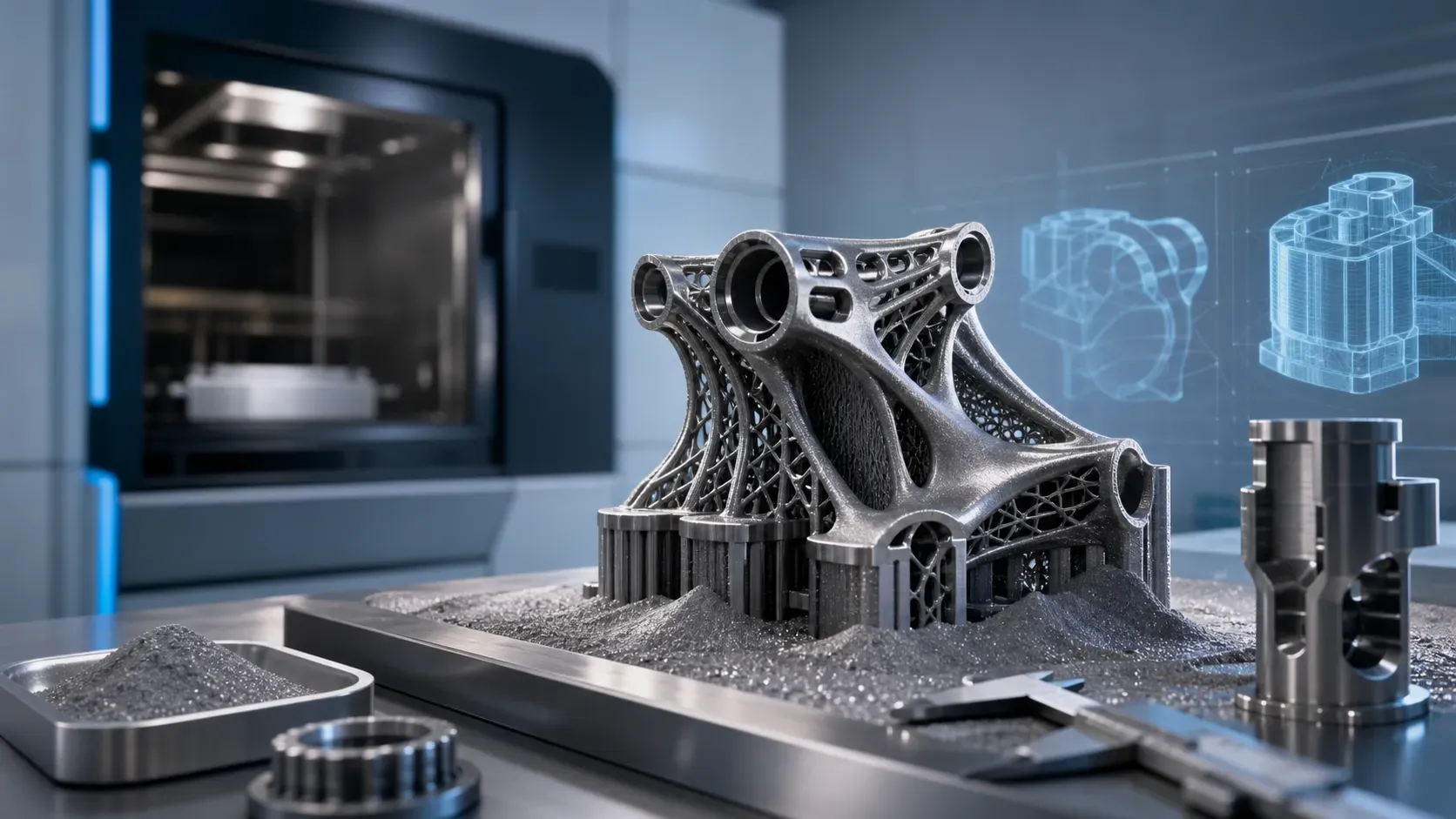

Learn DFM for 3D printing: definition, DFM vs DfAM, key design principles, process insights, and a final checklist.
TL;DR: Use the Final Design Checklist to quickly validate your part before placing an order.
Introduction
A design that looks right in CAD doesn't always translate smoothly into production. Problems like unexpected costs, failed features, or ill-fitting assemblies often trace back to design decisions made without considering how the part would actually be made.
Design for Manufacturing (DFM) closes this gap. By accounting for manufacturing constraints, materials, and process capabilities early on, it reduces costly revisions, shortens lead times, and improves part quality.
In 3D printing, design choices directly shape build time, support needs, mechanical performance, and post-processing, making DFM especially critical before a design is finalized.
What Is Design for Manufacturing (DFM)?
Design for Manufacturing (DFM) is an engineering approach that incorporates manufacturing constraints, material properties, and production capabilities into the early stages of product design.
The goal of DFM is to align design with real-world production. By simplifying geometry and improving compatibility with manufacturing processes, it helps reduce costs, minimize material waste, and avoid late-stage redesigns, all without sacrificing performance.
DFM is most effective when these considerations are introduced early. Addressing manufacturability during the initial sketching and CAD phases keeps changes low-cost and low-risk. As a design progresses further, revisions become increasingly complex and expensive, making early decisions critical to overall efficiency and success.
DFM vs. DFMA vs. DfAM vs. DFX
These terms appear frequently and can be confusing, so it helps to establish a clear structure before moving forward.
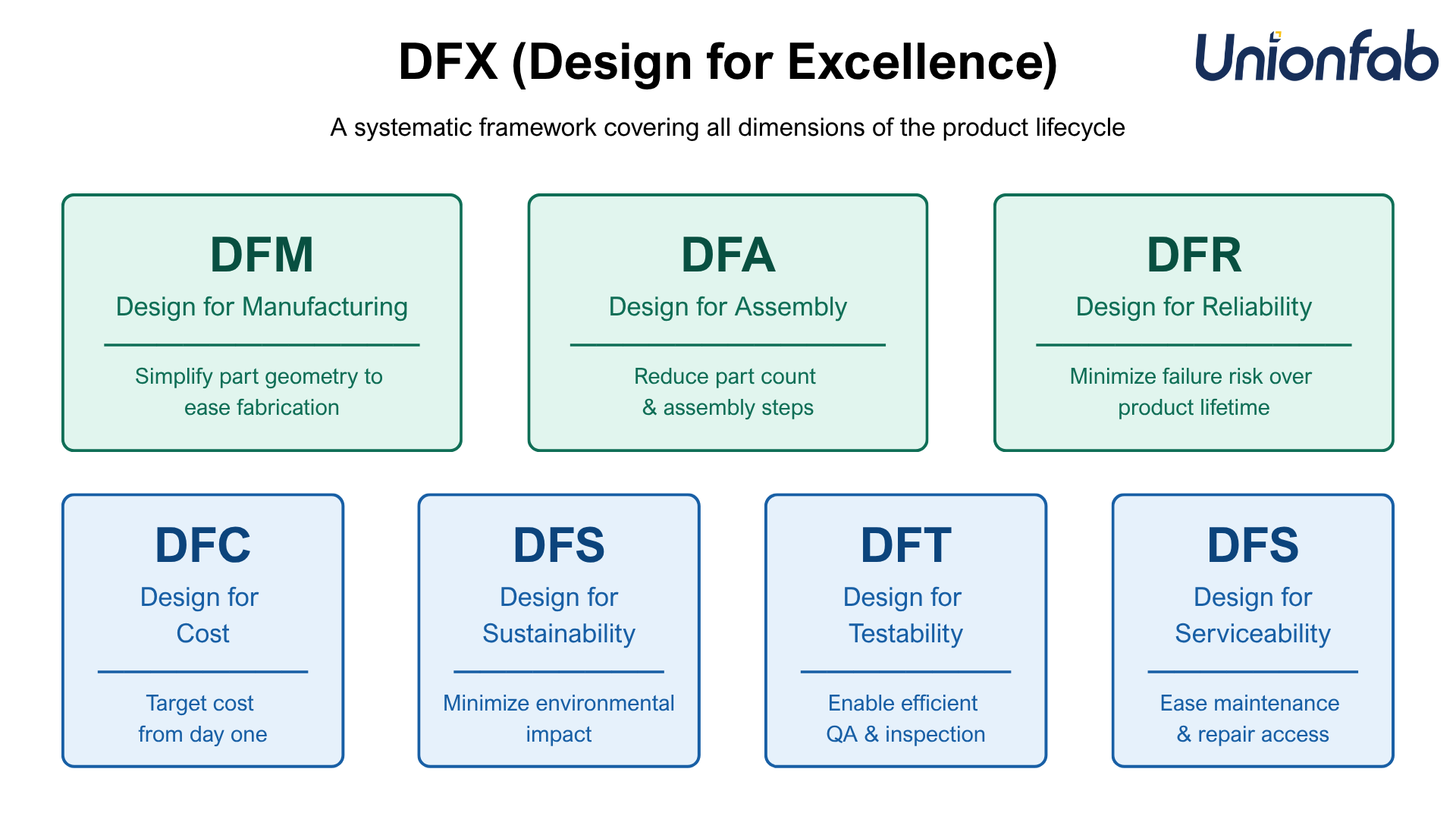
DFX (Design for Excellence) is the umbrella framework.
The “X” represents different design objectives, including manufacturing, assembly, reliability, cost, sustainability, testability, and serviceability.
It reflects a holistic approach to design, where decisions consider the entire product lifecycle rather than just geometry.
DFMA (Design for Manufacturing and Assembly) combines two closely related dimensions.
DFM (Design for Manufacturing) focuses on optimizing individual parts to reduce per-part cost and machining time.
DFA (Design for Assembly) focuses on reducing part count and simplifying how components are assembled.
Together, they form a system-level approach that balances manufacturing complexity with assembly efficiency.
DfAM (Design for Additive Manufacturing) applies these ideas specifically to 3D printing.
Traditional DFM is largely constraint-driven, focusing on avoiding geometries that are difficult to produce.
DfAM is opportunity-driven, leveraging the capabilities of additive manufacturing such as geometric complexity, part consolidation, and lightweight structures.
Advantages of Applying DFM
Applying DFM principles consistently throughout the design process delivers measurable improvements across cost, quality, and production efficiency.
Lower production cost: DFM reduces material usage and build time by optimizing geometry and minimizing support structures, cutting both waste and post-processing effort.
Faster time to market: By preventing common print failures such as warping or collapse, DFM reduces iteration cycles and speeds up the path from design to finished part.
Improved part performance: Designing with factors like build orientation in mind ensures better strength and durability under real-world loads.
Part consolidation: DFM enables multiple components to be combined into a single part, reducing assembly steps, cost, and potential failure points.
Higher material efficiency: Techniques like hollowing and lattice structures achieve required performance with less material, improving both cost efficiency and sustainability.
Key DFM Guidelines for 3D Printing
Optimizing a design for 3D printing requires a shift in mindset. Instead of thinking about how material is removed, you need to consider how it is built layer by layer and how it behaves during that process.
The following seven guidelines outline the core principles of DFM for additive manufacturing.
1. Overhangs and Support Structures
Each layer in a 3D print must be deposited onto an existing one. When geometry extends horizontally without support beneath it, the material has nothing to rest on, leading to sagging or print failure.
Design recommendations
Keep overhangs at less than 45 degrees from vertical where possible.
Replace flat overhangs with chamfers or teardrop profiles for internal holes.
Reorienting the part in CAD can often turn a difficult overhang into a vertical wall.
2. Wall Thickness
Heat stress and internal pressure during printing cause walls that are too thin to buckle, warp, or snap. Abrupt transitions between thick and thin sections create thermal gradients that lead to internal stress and cracking.
Design recommendations
0.8mm is a reliable minimum across most technologies.
Keep wall thickness consistent throughout the part.
Use ribs to add stiffness rather than increasing overall wall thickness.
3. Tolerances and Dimensional Accuracy
Unlike CNC machining, 3D printing precision is affected by material shrinkage, heat expansion, and printer resolution. Tolerances cannot be assumed and must be designed for explicitly.
Design recommendations
For FDM parts that need to fit or slide together, apply a minimum clearance of ±0.3mm.
For high-precision fits such as bearing seats, design the hole undersized to allow for post-processing to final dimension.
4. Part Orientation
Build direction affects mechanical strength, surface quality, and support requirements. Parts are weakest along the Z-axis, where layers bond to one another rather than forming a continuous structure.
Design recommendations
Orient the part so primary mechanical loads run perpendicular to the Z-axis.
Place critical aesthetic surfaces away from support contact zones.
Make orientation decisions during the CAD phase, not at the slicing stage.
5. Feature Size and Detail
Every printer has a resolution limit set by nozzle diameter or laser spot size. Features smaller than this threshold will not print accurately or may be ignored entirely.
Design recommendations
Maintain at least 0.4mm to 0.5mm spacing between separate features to prevent them from fusing.
Design text and surface detail at a minimum depth or height of 0.5mm to ensure legibility after finishing.
Vertical holes are generally more accurate than horizontal ones, which can print slightly oval due to gravity.
6. Hollowing, Infill, and Escape Holes
Printing solid is rarely necessary and adds cost, weight, and print time. For SLA and SLS, hollowing reduces material consumption but traps uncured resin or unsintered powder inside enclosed cavities.
Design recommendations
For FDM, use infill patterns such as gyroid or honeycomb to provide structural support without solid mass.
For SLA and SLS, include at least two escape holes at opposite ends of any hollowed cavity.
Ensure the remaining shell is thick enough to support the part under load.
7. Part Consolidation
Because additive manufacturing is not constrained by tool access, assemblies that would require multiple traditionally manufactured components can often be redesigned as a single printed part.
Design recommendations
Integrate hinges, snap-fits, and structural brackets directly into the part to eliminate fasteners and assembly steps.
Use generative design or lattice structures to merge heavy bracket assemblies into lightweight single components.
Want to know if your design is truly manufacturable? Get free DFM feedback and catch issues early.
Technology-Specific DFM Considerations
Additive manufacturing is not a single process. It is a diverse family of technologies, each with its own mechanics, constraints, and failure modes.
Rather than listing every rule, the tables below highlight the most critical and commonly overlooked DFM considerations for each major technology.
FDM (Fused Deposition Modeling)
Process Category: MEX (Material Extrusion)
Typical Material: Thermoplastics (PLA, ABS, ASA)
Focus Area | What's Often Missed | Why It Matters | Design Implication |
|---|---|---|---|
Anisotropy | Z-axis strength is significantly lower than XY | Layer bonding is weaker than in-layer strength | Align load with XY plane; avoid tall, thin vertical features |
Bridging limits | Unsupported spans typically fail beyond ~5mm | Material sags without underlying support | Use chamfers or teardrop shapes instead of flat overhangs |
Wall thickness | Must align with nozzle diameter | Non-matching widths create weak or inconsistent walls | Use multiples of nozzle size (e.g., 0.8mm, 1.2mm) |
Bed adhesion | Large flat bases are prone to warping | Uneven cooling lifts edges off the build plate | Add chamfers or fillets to base edges to reduce stress concentration at contact points |
SLA (Stereolithography)
Process category: VPP (Vat Photopolymerization)
Typical material: Photopolymer resins
Focus Area | What's Often Missed | Why It Matters | Design Implication |
|---|---|---|---|
Peeling forces | Each layer experiences suction during printing | Large cross-sections increase failure risk | Tilt parts to reduce surface area per layer |
Shrinkage | Resin contracts during curing | Can cause warping, especially in thin sections | Maintain consistent thickness; reinforce large surfaces |
Support marks | Supports leave visible surface defects | Affects aesthetics and functional surfaces | Orient part to move support contact points to non-critical or hidden surfaces |
Escape holes | Hollow parts trap uncured resin | Creates a sealed pressure vessel that can crack over time | Include at least two escape holes in any enclosed cavity |
SLS (Selective Laser Sintering) and MJF (Multi Jet Fusion)
Process category: PBF (Powder Bed Fusion)
Typical material: Nylon
Focus Area | What's Often Missed | Why It Matters | Design Implication |
|---|---|---|---|
Thermal warping | Large flat surfaces still warp without supports | Differential cooling causes stress even in self-supporting builds | Orient large flat faces vertically; avoid thick flat sections |
Powder entrapment | Enclosed cavities trap unsintered powder | Adds weight and prevents powder reuse | Add escape holes to all hollow sections |
Feature fusion | Gaps under 0.5mm between features may fuse | Sintering spreads slightly beyond the intended boundary | Maintain at least 0.5mm clearance between separate features |
Wall thickness uniformity | Abrupt thickness changes cause uneven shrinkage | Thermal mass differences lead to dimensional inconsistency | Keep wall thickness consistent throughout the part |
SLM (Selective Laser Melting)
Process category: PBF (Powder Bed Fusion)
Typical material: Metal (Aluminum, Stainless steel, Titanium, and more)
Focus Area | What's Often Missed | Why It Matters | Design Implication |
|---|---|---|---|
Residual stress | Rapid heating and cooling generates internal stress | Can warp or crack the part during or after the build | Use fillets to reduce stress concentration; minimize sharp transitions |
Support complexity | Metal supports are dense and difficult to remove | Poor support planning significantly increases post-processing time and cost | Minimize support volume through orientation; design for support access |
Post-processing allowance | As-built surfaces are too rough for functional interfaces | Surface roughness typically requires CNC finishing for mating faces | Add 0.5mm to 1.0mm machining allowance on critical surfaces |
Hole tolerances | Printed holes are typically undersized across all processes | Material shrinkage and path offset reduce actual diameter | Add 0.1mm to 0.2mm compensation, or plan to ream critical holes after printing |
Working with Your Manufacturer on DFM
DFM is not a one-time check before production. It is an ongoing collaboration between the designer and the manufacturer, and the quality of that collaboration directly affects the final part.
While designers define the geometry, manufacturers bring process-specific experience. Engaging them early helps identify issues that are difficult to anticipate from guidelines alone and prevents costly revisions later.
Provide Clear Design Context
When submitting a design for DFM review, context is just as important as the CAD file itself. Clear communication allows the manufacturer to make better, more targeted recommendations.
Include the following information:
Intended use and loading conditions: Explain how the part will function and where stress will be applied. This helps determine optimal orientation and structural design.
Critical functional surfaces: Identify features that require high precision or surface quality so they can be prioritized during printing or post-processing.
Tolerance requirements: Distinguish between critical and non-critical dimensions. Applying tight tolerances only where needed helps control cost without compromising performance.
Post-processing needs: Specify any machining, finishing, or coating requirements in advance so proper allowances can be included in the design.
How to Interpret DFM Feedback
DFM feedback should be treated as technical input, not a rejection of your design. In most cases, it falls into three categories:
Manufacturability risks: Features that are difficult or unreliable to produce
Tolerance limitations: Dimensions that exceed the process capability
Cost or efficiency issues: Design elements that increase material usage, support volume, or lead time
Instead of applying quick fixes, use this feedback to improve the design itself.
For example, redesigning an overhang to be self-supporting is often more effective than simply adding supports, and reinforcing a thin section with ribs is usually better than increasing wall thickness across the entire part.
Final Checklist: Ensuring Your Design Is Ready for Production
Use this checklist as a final safety net before submitting your files. A "No" answer on any item indicates a potential risk of print failure or functional defect.
Note: The numerical values provided below (e.g., 0.5mm) are industry-standard safety margins for general reliability. For high-precision requirements, always cross-reference with your specific material data sheet and manufacturer’s guidelines.
1. Digital File Integrity
☐ Is the model "manifold" (water-tight)? Are there any flipped normals or holes in the mesh that could cause slicing errors?
☐ Are the units correctly set? Have you confirmed the export is in the intended scale (e.g., mm vs. inches)?
☐ Is the export resolution optimal? Is the STL/STEP file smooth enough for curves but not so large (e.g., >100MB) that it crashes the manufacturer's software?
2. General Design Quality
☐ Wall Thickness: Are all walls above the minimum threshold to prevent warping or breakage?
☐ Transitions: Is the thickness consistent, avoiding abrupt changes that cause internal stress?
☐ Complexity: Have unnecessary features been removed to reduce print time and cost?
☐ Tolerances: Are tolerances specified based on functional need (e.g., ±0.1 mm) rather than arbitrary defaults?
☐ Clearance: Do mating parts have physical gaps (e.g., 0.2mm - 0.5mm) rather than "zero-clearance" fits?
3. Overhangs and Support Structures
☐ Self-Support: Are overhangs at 45 degrees or less from vertical, or supported by chamfers/teardrops to improve surface finish?
☐ Orientation: Has the part been oriented to minimize the total volume of support material?
☐ Contact Zones: Are supports located on non-critical/hidden surfaces to avoid unsightly scarring?
4. Hollowing and Escape Holes
☐ Drainage: If hollowed, are there at least two escape holes at opposite ends to prevent trapped raw material or internal pressure?
☐ Structural Integrity: Is the remaining shell thick enough to withstand post-processing and end-use loads?
5. Feature Size and Detail
☐ Feature Spacing: Is the gap between separate features at least 0.4mm to 0.5mm to prevent unintended fusing?
☐ Engraving/Embossing: Are text and logos at least 0.5mm deep/high to ensure legibility after finishing?
☐ Hole Geometry: Have horizontal holes been checked for ovality, and sized with compensation if they are critical?
6. Part Orientation & Strength
☐ Load Direction: Is the part oriented so that primary mechanical loads run perpendicular to the Z-axis (to avoid delamination)?
☐ Aesthetics: Are critical aesthetic surfaces placed away from support zones or "stair-stepping" areas?
7. Process-Specific Checks
☐ FDM: Are wall thicknesses specified as multiples of the nozzle diameter (e.g., 0.4, 0.8, 1.2)?
☐ SLA/Resin: Does the design include both drain holes and vent holes to avoid the "suction cup" effect?
☐ SLS / MJF: Is there at least 0.5mm spacing between moving parts to prevent powder sintering fusion?
☐ SLM / Metal: Have sharp internal corners been replaced with fillets to reduce residual thermal stress and cracking?
☐ Machining Allowance: Has 0.5mm – 1.0mm of extra material been added to surfaces intended for post-process CNC machining?
8. Pre-Submission Preparation
☐ Critical Annotations: Are functional faces and tight-tolerance zones clearly marked in a supplemental 2D drawing or PDF?
☐ Documentation: Have you provided the manufacturer with the intended use, load conditions, and required post-finishing (e.g., vapor smoothing, dyeing)?
☐ Capability Match: Has the design been reviewed against the specific machine's build volume and resolution?
All "Yes"? Your design is ready for production. Proceed to upload.
Want to estimate your part cost quickly?
Upload your file to our Instant Quote system and get a price in seconds.
New to Unionfab? Enjoy a 10% discount on your first order.