

For standard, uncomplicated parts, calculating the cost of industrial 3D printing is straightforward:
Total Cost = Printing Cost (Material Unit Price × Part Weight) + Post-Processing + Packaging + Shipping + Customs Duties
Aside from the usual logistics of international orders (shipping and customs) and optional fees for post-processing or specialized packaging, the bulk of your final price is simply the Printing Cost—essentially, the price of the raw powder consumed.
(For a detailed explanation on how these standard baseline costs are calculated, check out our guide: How Much Does It Cost to 3D Print Something?)
However, if your design pushes the limits of complexity, an additional Complexity Surcharge enters the equation. Today, we are pulling back the curtain to uncover exactly why complex designs cost more in 3D printing.
Is Your Model “Complex”? The 3 Common Culprits
How do you know if your part will trigger a complexity surcharge? Here are the three most common complex design categories and the exact criteria to help you identify them:
1. Complex Geometry
“Complex geometry” is defined by the manufacturing and post-processing challenges a design creates, rather than just its visual appearance. The following five features typically trigger a complexity surcharge:
Extreme Overhangs: Features under 45 degrees requiring precise, highly manual support removal. This labor-intensive post-processing is a primary cost driver.
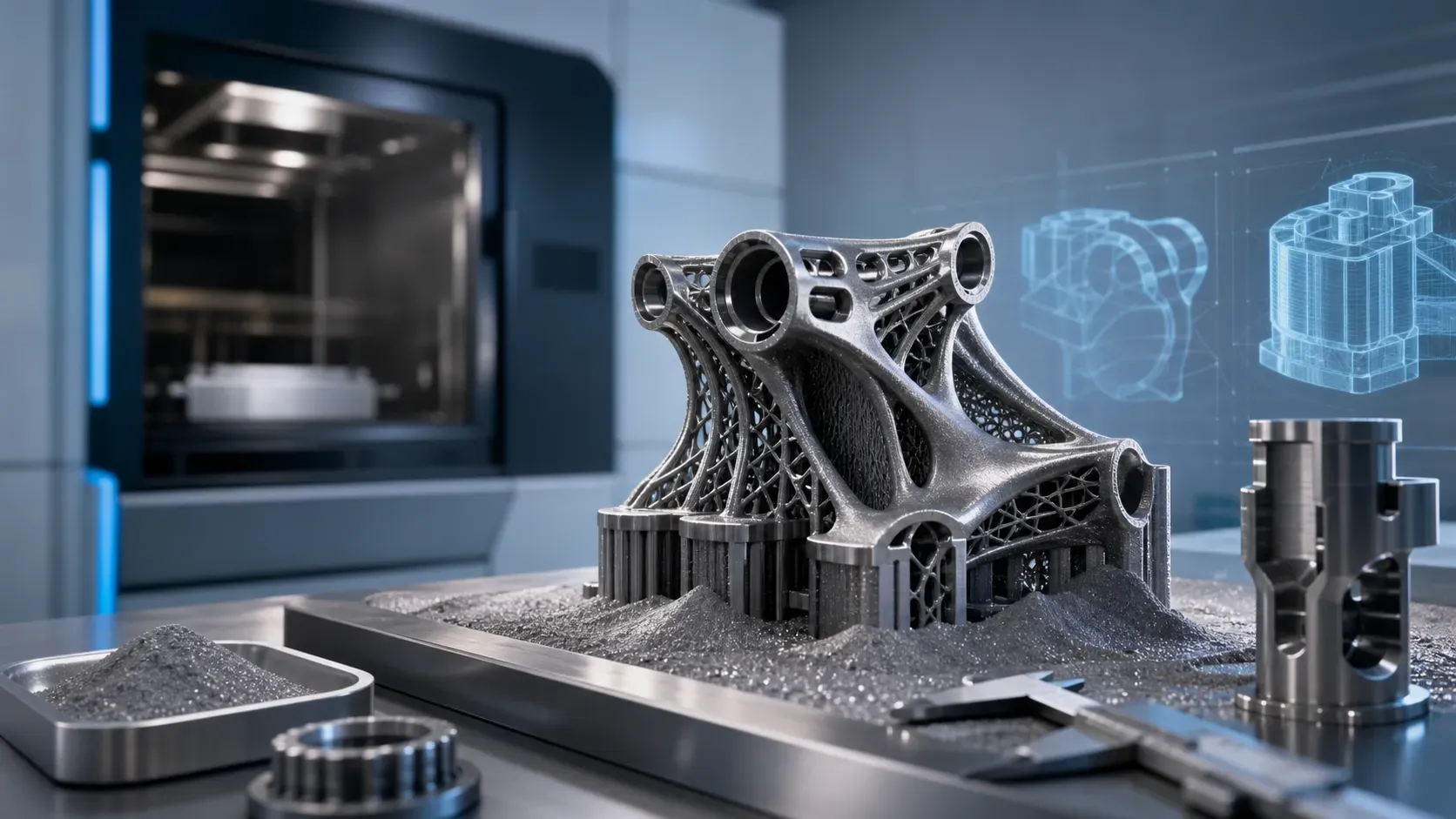
Topologically Optimized & Lattice Structures: Algorithmic micro-meshes used for lightweighting. They trap powder (SLS/SLM) or resin (SLA), making post-print cleanup extremely difficult.
Internal Channels & Closed Cavities: Features like conformal cooling channels. Extracting trapped material from these internal "blind spots" requires specialized effort.
Print-in-Place Assemblies: Interlocking mechanisms (e.g., hinges, gears) printed as a single unit. They demand flawless clearance control to prevent moving parts from fusing together.
Cross-Scale Features: Micro-features directly attached to massive solid bases. This sudden change in thickness causes thermal stress, leading to warping or cracking (especially in metal printing).
2. Thin-Walled Models
“Thin-walled” typically refers to model features where the wall thickness approaches or falls below the minimum recommended dimensions for a given 3D printing technology.
During the printing process, these thin walls lack sufficient mass to dissipate internal stresses, making them highly susceptible to warping, curling, or tearing.
Furthermore, they are extremely vulnerable to structural failure from physical impact during post-processing stages, such as sandblasting and powder removal or ultrasonic cleaning.
Common Examples:
Scaled architectural models: Miniaturized walls or window frames.
Aerospace or automotive shell components: Ultra-thin aerodynamic fairings or lightweight drone housings.
Improperly hollowed figures (bases or torsos): Hollowing out the interior to save resin but leaving the walls too thin (e.g., under 1.5mm), which results in a flimsy overall structure that is prone to cracking after curing.
Minimum Recommended Wall Thickness Reference:
SLA / DLP (Resin): 0.5 mm
SLS / MJF (Polymer Powder: Nylon, TPU): 0.8 mm
FDM (Thermoplastics): 0.8 mm to 1.2 mm (typically requires at least 2 nozzle widths)
SLM / DMLS (Metal Powder): 0.8 mm to 1.0 mm
3. Elongated Dimensions
What it looks like: Parts that are unusually long and narrow, often stretching across the absolute limits of the printer's build volume bounding box.
Common Examples:
Character Accessories: Wands (e.g., Iggy Koopa's wand), polearms, antennas, hair strands, or tails. (Note: Scaling the model up—even to 125%—does not change the aspect ratio, so these features remain highly prone to snapping during support removal.)
Scale Vehicle Parts: Warship masts, tank communication antennas, or aircraft pitot tubes.
Industrial Components: Thin drive shafts or elongated alignment pins lacking reinforcing ribs.
How to spot it in your file: Calculate your aspect ratio (Length vs. Width/Thickness). If the ratio is 10:1 or greater (e.g., a rod that is 400mm long but only 40mm thick), it falls into the elongated category.
Unsure if your model falls into these categories? Consult our sales team for expert DFM feedback.
Why Do You Pay More? The Hidden Costs of Complexity
When a 3D printing service adds a surcharge for a complex design, it is not an arbitrary markup. It is a direct reflection of the increased manufacturing resources and risks assumed on the provider's end. Here is exactly what drives that extra cost:
Longer Processing Time:
Compared to a geometrically simple and compact part of the same material volume (such as a solid cube or sphere), a complex design requires significantly longer laser scanning paths or more intensive processing cycles.
Even if two parts weigh the exact same, the intricate details of the complex part keep the machine running much longer, which substantially increases the machine time cost per unit.Reduced Chamber Utilization:
In industrial 3D printing, cost efficiency comes from packing the machine as tightly as possible. If a part has extreme dimensions (e.g., being exceptionally long, tall, or having an awkward bounding box), it occupies a disproportionate amount of space within the build chamber.
This directly limits our ability to "nest" (arrange) additional parts in the same batch, thereby reducing the overall throughput efficiency of the machine and driving up the cost for that specific occupied space.Extra Material, Labor & Print Failure Risks:
Intricate geometries necessitate extensive support structures to ensure structural integrity during the print. These scaffolds consume additional powder (material) and require painstaking manual labor for removal that far exceeds standard service allowances.
Crucially, complex and fragile designs inherently carry a much higher print failure rate (scrap rate). Whether it is a delicate feature warping mid-print, or a thin wall breaking during support removal, high-complexity parts often result in wasted material and double the labor to reprint from scratch. The surcharge directly accounts for this extra material consumption, intense manual labor, and elevated manufacturing risk.
FAQs
1. Can I avoid complexity surcharges by simply scaling down my model?
Not necessarily. While reducing the size lowers material consumption, it often turns standard features into Thin-Walled or Fragile Features. If a feature’s thickness falls below the minimum recommended threshold for a specific technology (e.g., <0.5mm for SLA or <0.8mm for SLM), the risk of print failure and the difficulty of post-processing actually increase. Surcharges are driven by the Aspect Ratio and manual labor requirements, not just the physical volume.
2. How can I optimize my design to reduce complexity fees?
The best way to lower costs is through Design for Additive Manufacturing (DfAM) optimization:
Self-Supporting Angles: Aim for overhangs greater than 45° to minimize the need for support structures.
Standardize Small Features: For long, thin alignment pins, design a "hole" instead and use a standard off-the-shelf steel pin for assembly after printing.
Hollowing with Drain Holes: If you hollow a part to save material, ensure you include strategically placed holes to allow uncured resin or unsintered powder to escape.
3. Is 3D printing still more cost-effective than CNC for complex designs?
Yes, in most cases involving high-complexity geometries. While 3D printing has complexity surcharges, it eliminates the need for expensive custom tooling, 5-axis CNC setups, and multi-part assembly. For features like Conformal Cooling Channels or Topology-Optimized Brackets, 3D printing is often the only viable and cost-efficient manufacturing method.
4. Does a complex design affect the turnaround time (Lead Time)?
Yes. Complexity extends the production cycle in two ways:
Machine Time: Intricate details require more precise laser paths and slower layer-by-layer processing.
Post-Processing: The bottleneck for complex parts is almost always the Manual Labor required. Removing precision supports from deep cavities or intricate lattices takes significantly longer than standard finishing, which can add 1–3 business days to your lead time.
5. Why do complexity surcharges vary between different materials?
The surcharge reflects the physical behavior of the material during the print.
Metal (SLM): Highly sensitive to thermal stress; complex geometries with sudden thickness changes are prone to warping or cracking.
Resin (SLA): Complex parts face high "peel forces" during the printing process, which can snap fragile features. Because the risks and failure rates differ by material, the complexity premium is adjusted to account for these specific manufacturing challenges.
6. Which 3D printing technology is best for complex geometries?
Powder-bed technologies like SLS (Selective Laser Sintering) or MJF (Multi Jet Fusion) are excellent for complex geometries because the unsintered powder acts as a natural support for the part, often eliminating the need for extensive manual support removal labor.